
How it works: five steps, same group
The group stays the channel. The post just does more.
- 1
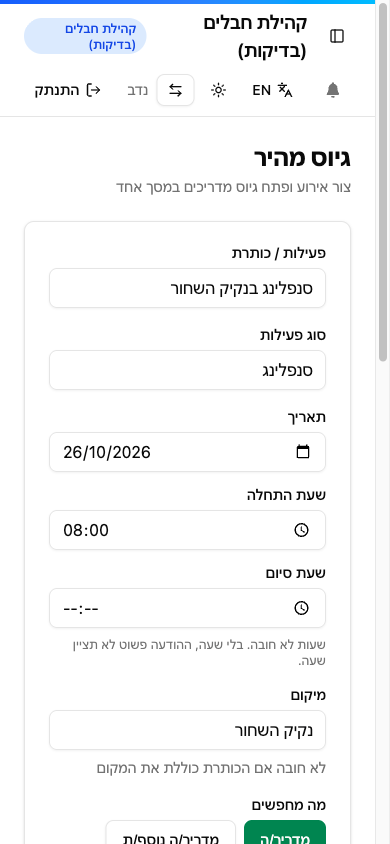
Post an event.
company ownerFill in the date, place, role and how many guides you need. Add details for guides, like group size or "has a car". Pay? Only if you want. Under a minute, from your phone.
- 2
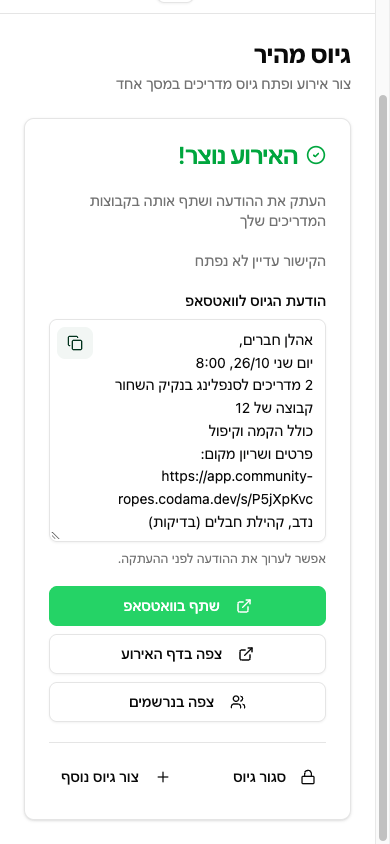
Paste it in the group.
company ownerYou get a ready message in the group's style, with your greeting, signature and a link. Copy, paste, done. In the group the link opens with a card: date, place and role.
- 3
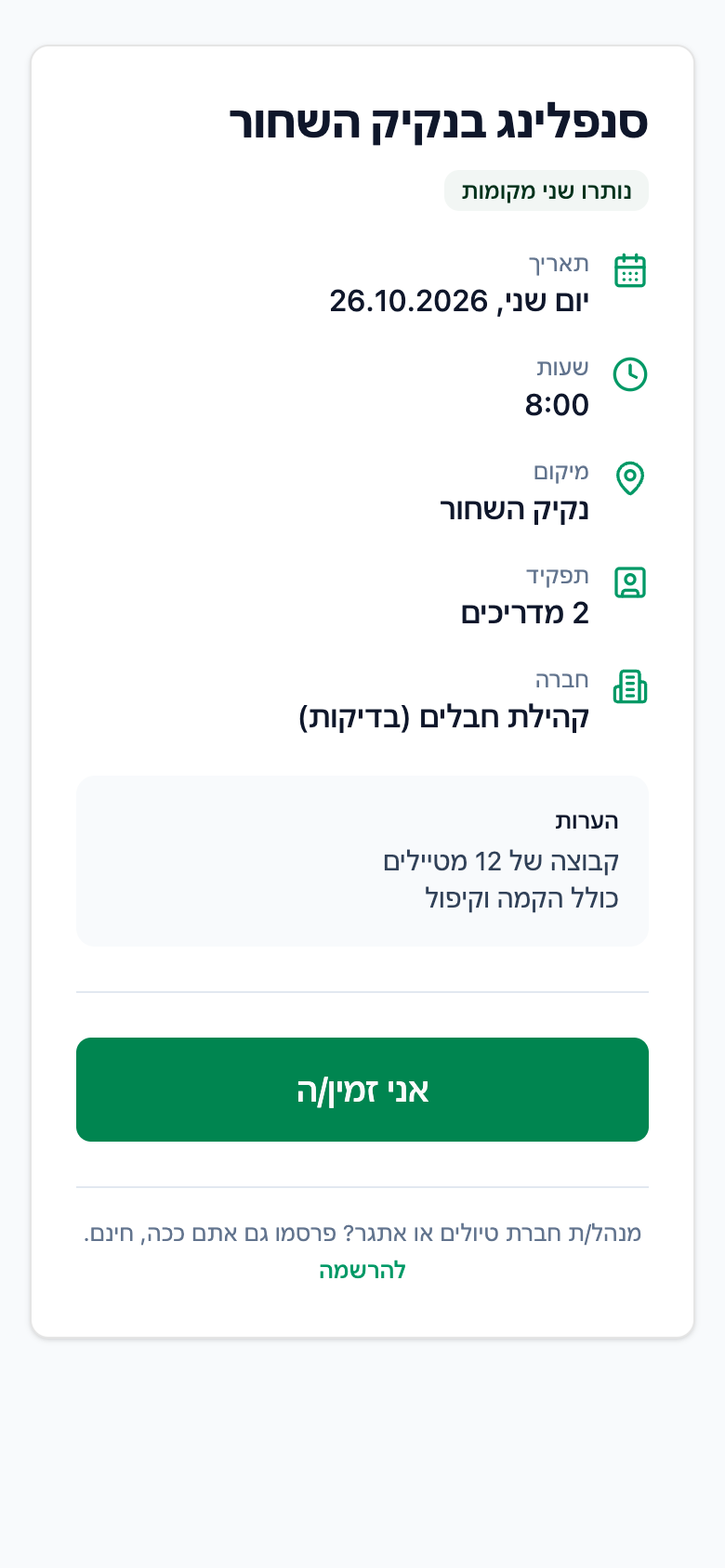
Grab a spot.
guideThe guide taps the link, sees the details and enters a phone number and the SMS code. 20 seconds. The first time they add a line about themselves. Next time, one tap.
- 4
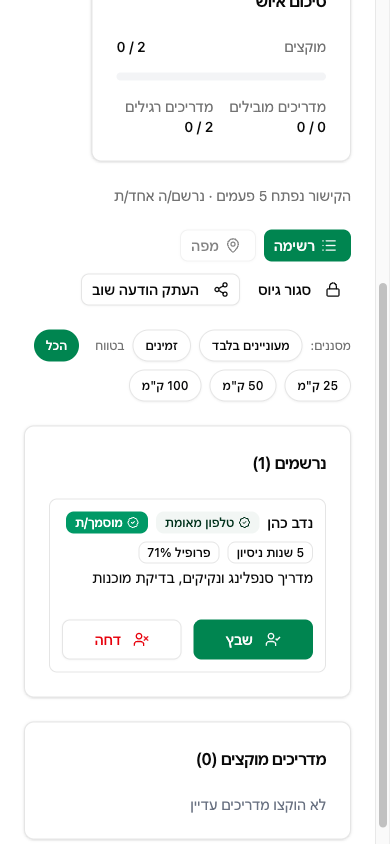
Assign.
company ownerSee every applicant in one place and assign with one tap, as lead or regular guide. The guide gets an SMS confirmation, and you get their phone number.
- 5
Close and head out.
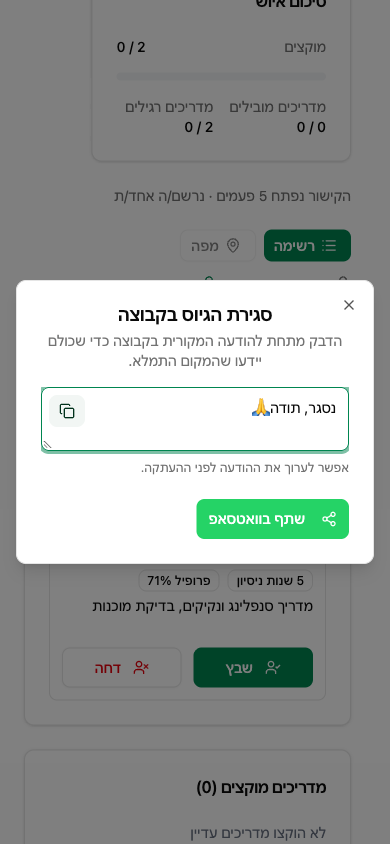
bothWhen the team is full, recruiting closes and a "closed" message is ready to paste under your post. Guides see the event with meeting point and parking, and get a reminder the day before.
The app is in Hebrew, with English available.
What if...
- Nobody signed up? A reminder line is ready to reshare, with the number of spots left.
- You need one more guide? Reopen recruiting, or raise the number of guides.
- The SMS code didn't arrive? Check the number and ask for a new code. Still nothing? Message us on WhatsApp